
Turnkey Software · Relief Planning
Cover every period. Without the morning scramble.
Relief Planning is a web-based relief teacher and exam invigilation planning system for schools. It automates daily relief duty assignment and exam invigilation scheduling from a school’s existing timetable, using configurable timetable rules, cross-module conflict detection and daily aggregated notifications to teachers.
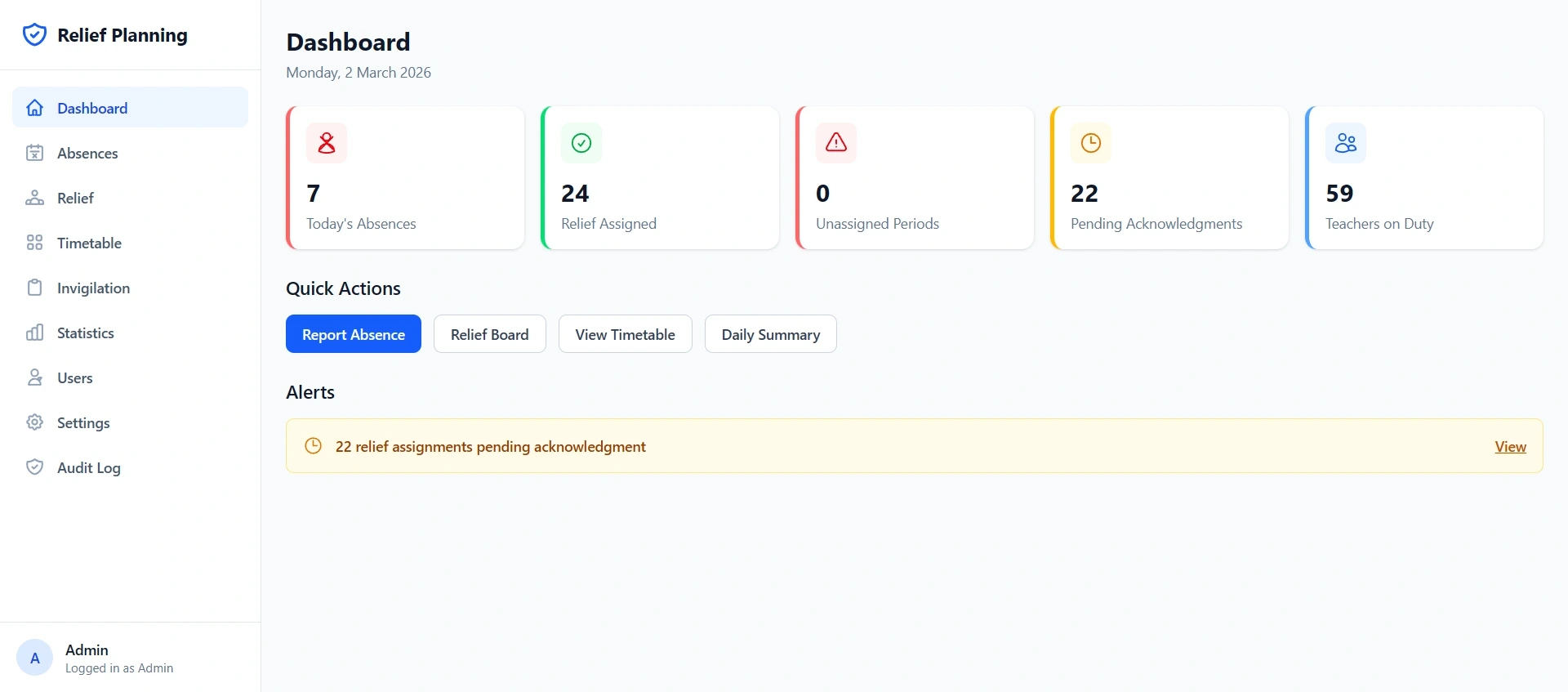
Key facts
| Timetable | Imports from aSc Timetables and STA Timetable in one step |
|---|---|
| Exam import | Your existing Excel or PDF layout, without reformatting, templates or process changes. We confirm yours during scoping. |
| Notifications | Email and Telegram included, WhatsApp and others as a paid add-on |
| Sign-in | Google SSO, SAML 2.0 or OIDC, with an MOE-compliant password fallback |
| Security | Built to MOE IT Security Specifications, with a 12-month audit trail |
| Hosting | Your choice: cloud, on-premise or anywhere else. Isolated per school, setup included. |
| Pricing | Subscription, by quotation |
Capabilities
What does Relief Planning do?
Relief Planning takes a reported absence and turns it into covered periods: it finds who is genuinely free, applies the school’s own fairness and priority rules, checks for clashes against exam invigilation, and sends each affected teacher one message telling them exactly what they are doing that day.
Rules-based auto-assignment
Relief duties distributed against your school’s own timetable rules (workload caps per job title, department matching, contract-teacher priority, HOD exclusions), with a preview before anything is confirmed.
Exam invigilation planning
Invigilators assigned with availability and workload visibility, plus dedicated standby and roaming duty allocation tracked separately from regular invigilation.
Cross-module conflict detection
The system will not schedule a teacher into a relief duty and an invigilation slot at once, and flags any conflict it cannot resolve rather than guessing.
Teacher designations
Tag teachers as Access Arrangement Trained, Lab Supervisor or anything else, and auto-assignment prioritises them for the sessions that require it.
Reviewed daily notifications
One aggregated message per teacher covering every action item for the day, previewed and released by an administrator.
Fairness you can audit
Relief distribution charts, absence trend lines and a sortable workload comparison table.
Inside the system
A look at every module.
Select any screen to enlarge it. All data shown is mock data.
FAQ
Relief Planning: FAQ
- What is a relief teacher planning system?
- A relief teacher planning system automates the daily work of covering absent teachers. It records absences, works out who is free and fairly due for duty, assigns cover against the school’s rules, warns about clashes, and tells each teacher what they are doing that day. Relief Planning does this and handles exam invigilation in the same system.
- Does Relief Planning work with our existing timetable software?
- Yes. Relief Planning imports directly from aSc Timetables via XML, CSV or Excel export, and from STA Timetable via JSON or CSV. The school exports from its timetabling software as normal and uploads the file in one step; the system parses it and flags any mismatches for review.
- Do we have to reformat our exam timetable to import it?
- In most reasonable layouts, no. Smart exam timetable import accepts Excel or PDF in the layouts schools generally already use, and builds the exam sessions from it. Administrators review the imported sessions and can correct, remove or add entries before confirming. We confirm your own layout during scoping.
- How does Relief Planning keep duty allocation fair?
- Assignment is driven by a rules engine that balances workload so teachers carry roughly equal duties, respects maximum weekly limits set per job title, and reduces new assignments for teachers already carrying more load. Distribution charts and a workload comparison table let administrators verify the outcome.
- Can we write our own assignment rules?
- Yes. Relief Planning ships with common rules ready to enable at one click: prioritise same-department teachers, prioritise contract teachers, match subject-trained teachers, exclude HODs from early-morning relief. Beyond those, administrators build custom rules by combining conditions with actions, with no developer involvement.
- How are teachers notified of their relief duties?
- Each teacher receives a single aggregated message per day listing every duty they have, sent by email, Telegram or WhatsApp. Every message carries a one-tap acknowledgement link, and the dashboard tracks who has acknowledged in real time.
- Can administrators review assignments before notifications go out?
- Yes, and by default they must. Administrators see the exact message each teacher will receive and release them individually or all at once. Fully scheduled automatic sending is available if a school prefers it.
- Is Relief Planning compliant with MOE IT security requirements?
- Relief Planning is designed against the MOE IT Security Specifications for School-managed Systems, covering access control with periodic account review, a 12-month audit trail, patch management timelines, OWASP Top 10 application security, encryption in transit and at rest, and full data relinquishment at contract end.
- Can teachers use Relief Planning on their phones?
- Yes. Relief Planning is a progressive web app with a mobile-first teacher experience, offering bottom tab navigation and streamlined views for checking a schedule or acknowledging a duty. It installs to a home screen without any app store, and administrators get a full desktop console.
- What happens to our data if we stop using Relief Planning?
- All school data is removed from the system and from our possession as part of the engagement, all user accounts and access rights are revoked, and a declaration and decommissioning report with supporting evidence is provided to the school.
- How much does Relief Planning cost?
- Relief Planning is licensed as an annual subscription, with one-time setup of user accounts and school configuration included. WhatsApp notification is the only paid add-on; email and Telegram are included. Contact us for a written quotation. We accept multiple payment currencies and methods.
- What support and training is included?
- Up to twelve training sessions per year of up to two hours each, at least four dedicated to staff training, with up to four delivered in person and the rest by video call. Support runs Monday to Friday, 8am to 5pm, with critical issues acknowledged within four business hours.
Get in touch
Want to try it with your own timetable?
Send us an export from aSc or STA and we will show you your own school inside Relief Planning.